Ready to transform your Amazon Fire TV Stick into the ultimate entertainment hub? Setting up UltraHD IPTV is the smartest way to access a massive library of 4K content without the heavy price tag of cable.
Since our premium application isn't listed directly in the Amazon App Store (due to competition), we use a standard, safe method called "Sideloading" via the official Downloader app. Don't worry—this process is completely safe, legal, and does not void your warranty.
Prerequisite: Ensure your Firestick is connected to the internet and updated to the latest software version before starting.
1 Get the Downloader App
The "Downloader" app is the bridge that allows us to install third-party applications. If you already have it, skip to Step 2.
-
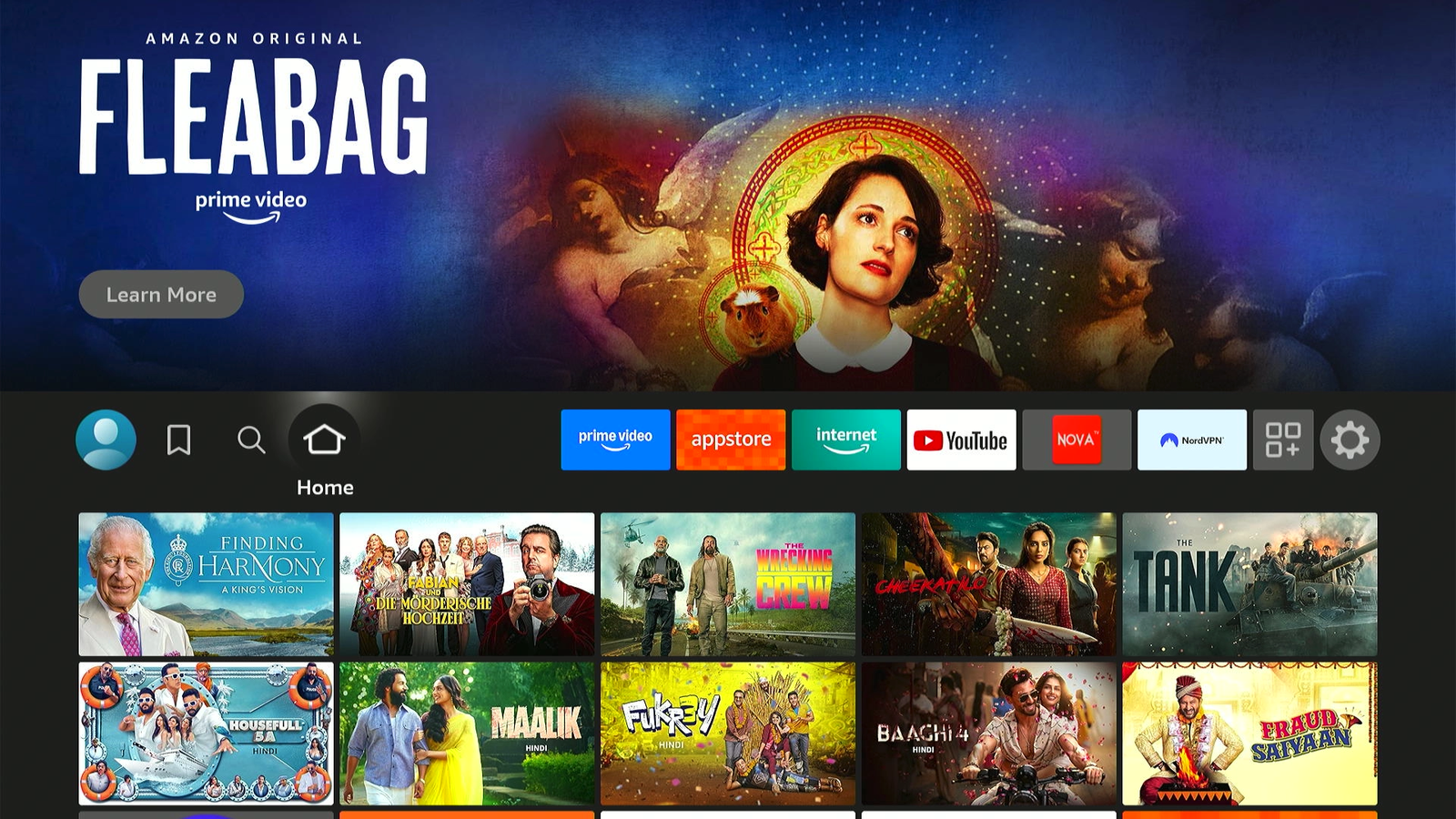
Go to your Firestick Home Screen.
-
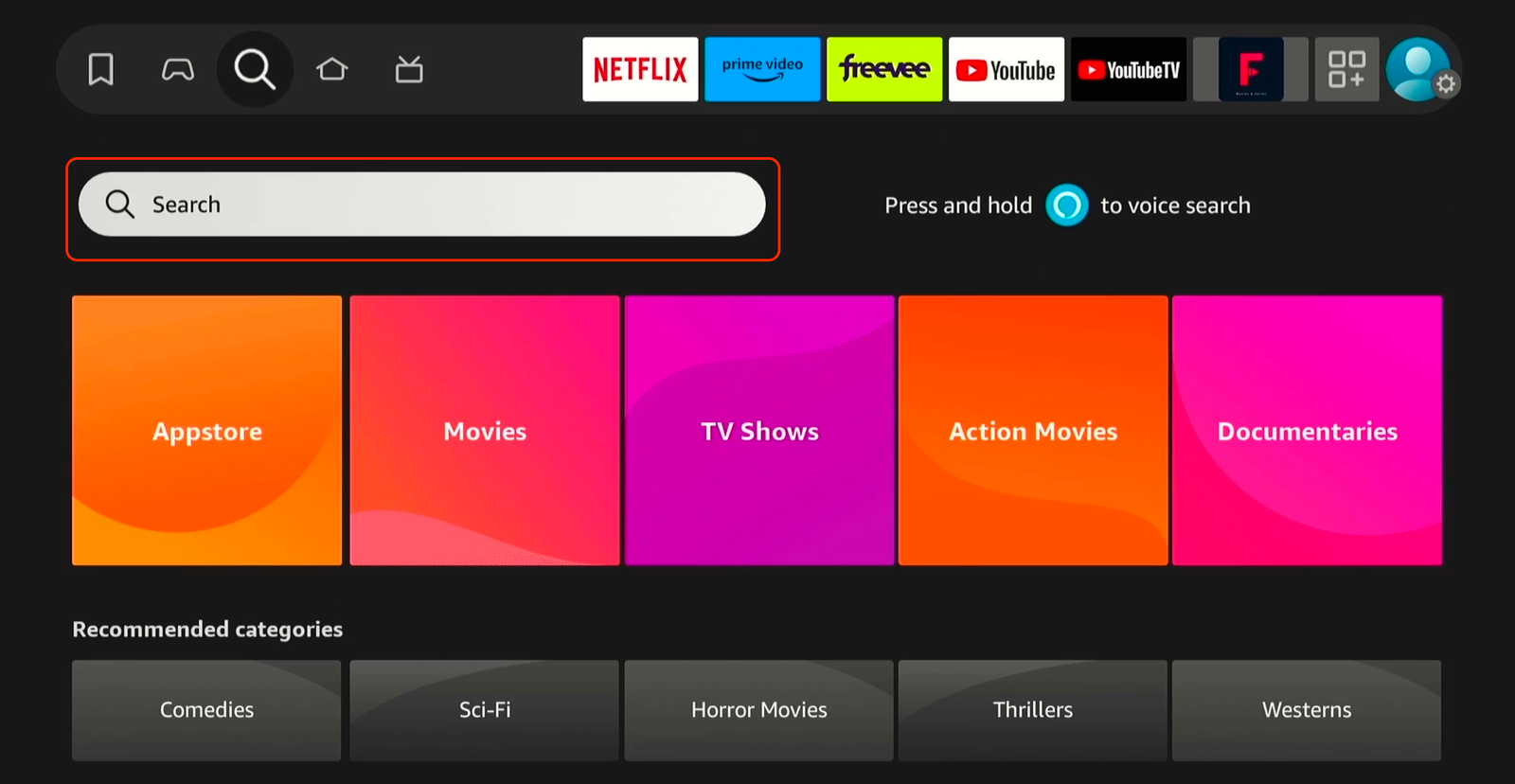
Navigate left to the Find / Search icon (magnifying glass).
-
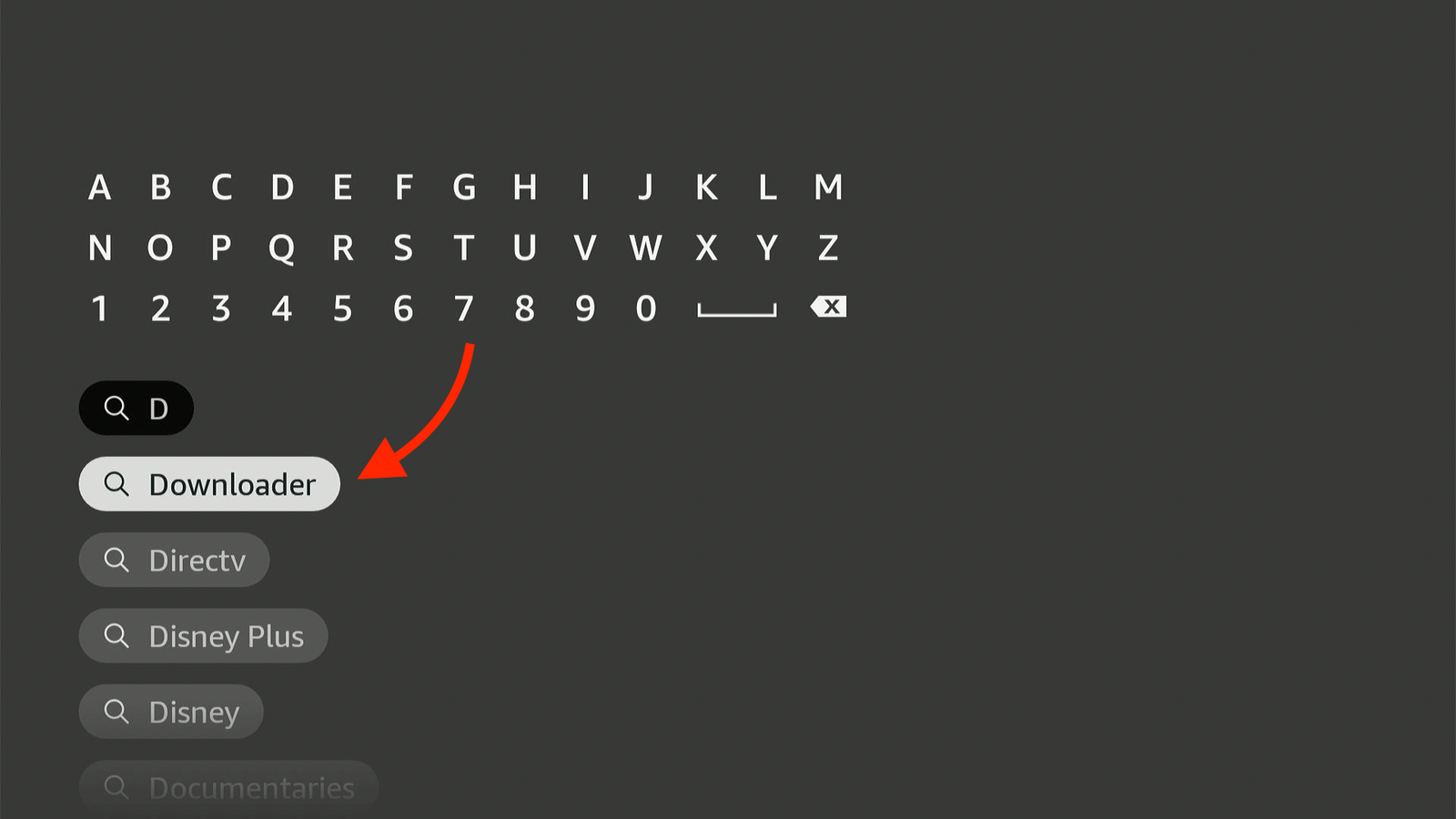
Type "Downloader" and select the downloader from the below suggestion list.
-
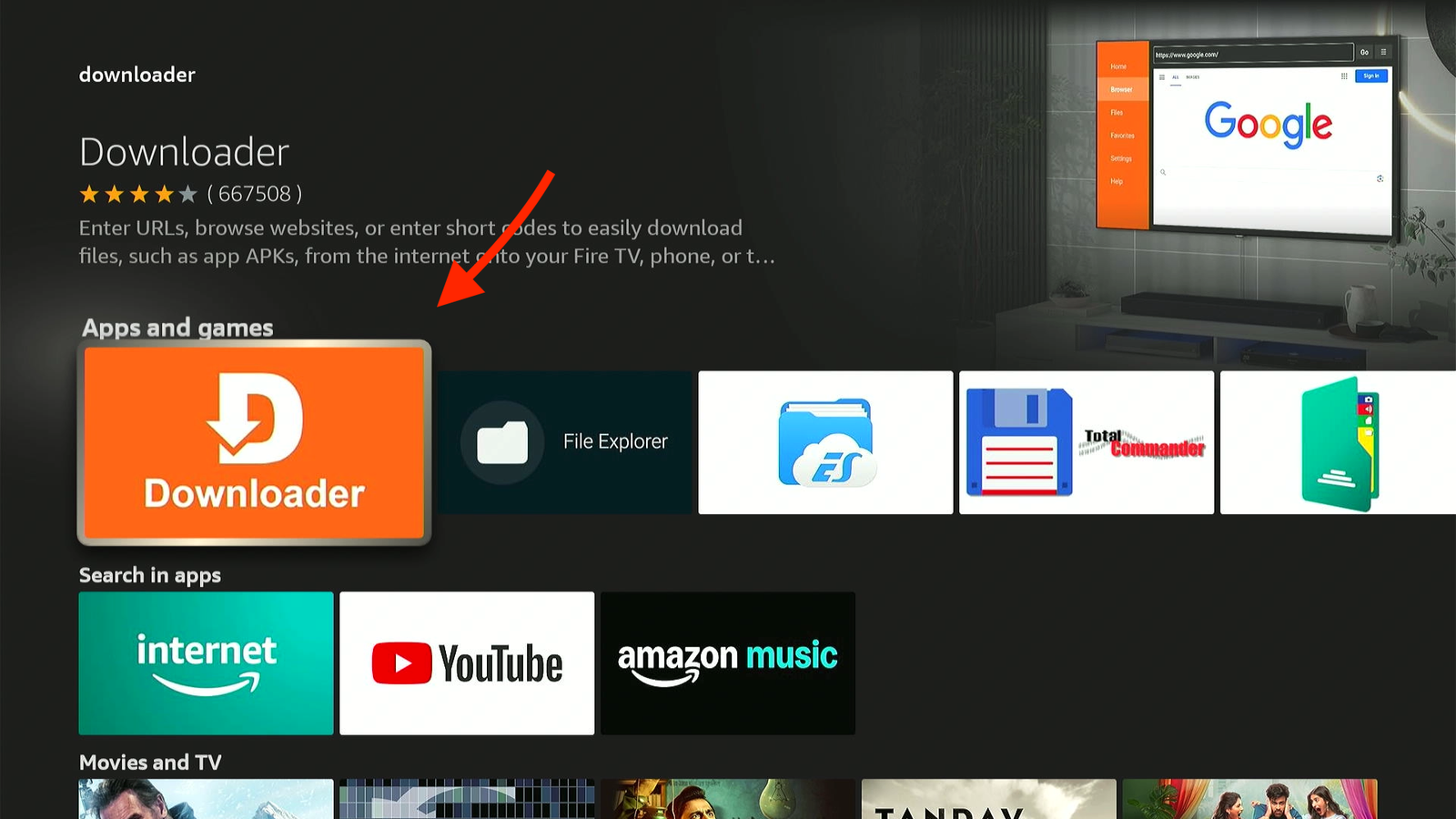
Select the downloader having orange color background.
-
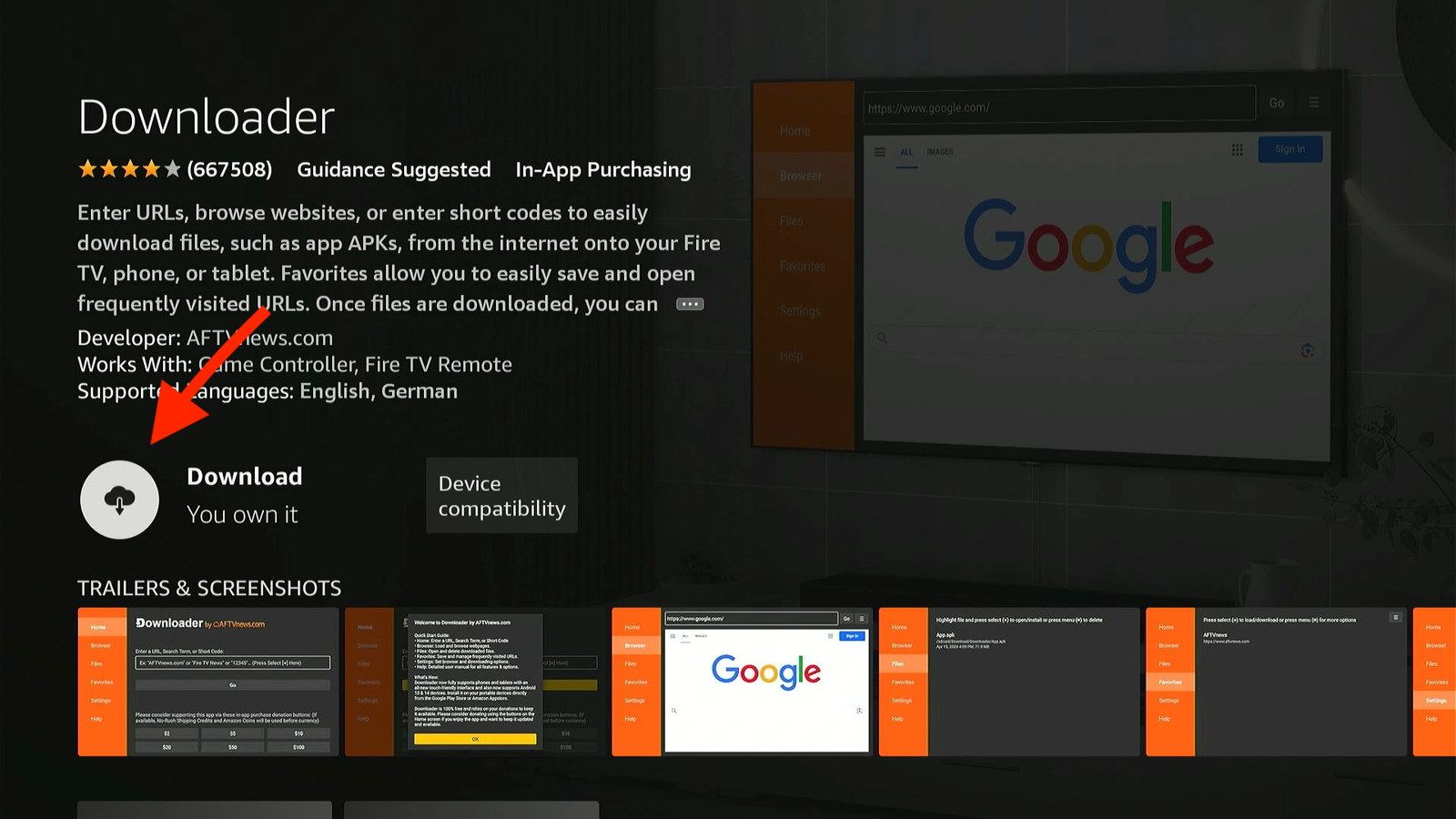
Click Get or Download to install it.
-
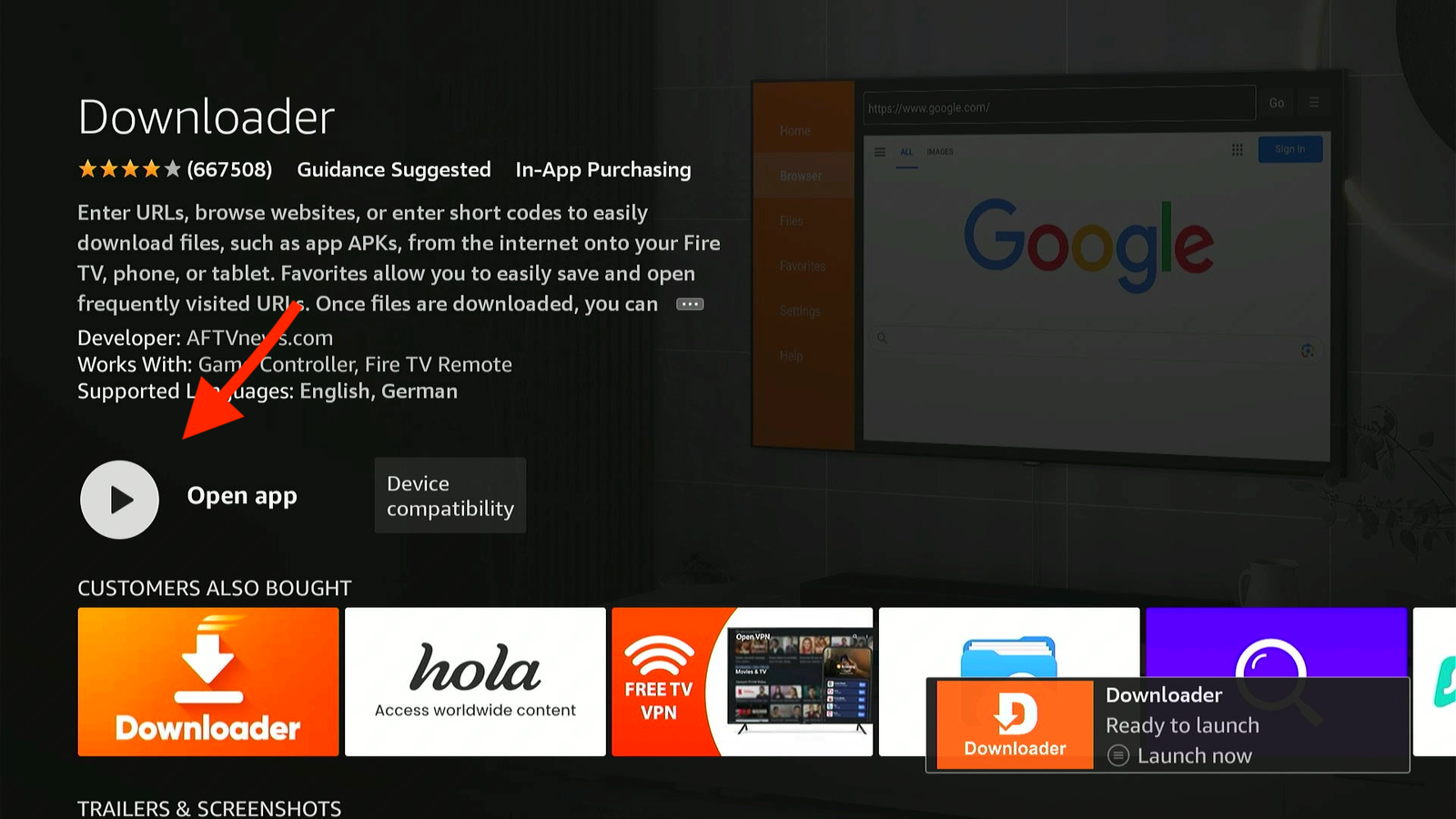
Once the Downloader app installed Don't Open it yet.
2 Enable Developer Options (Crucial)
Firestick blocks external apps by default. We need to grant permission. Note: New updates hide this menu, so follow carefully.
-
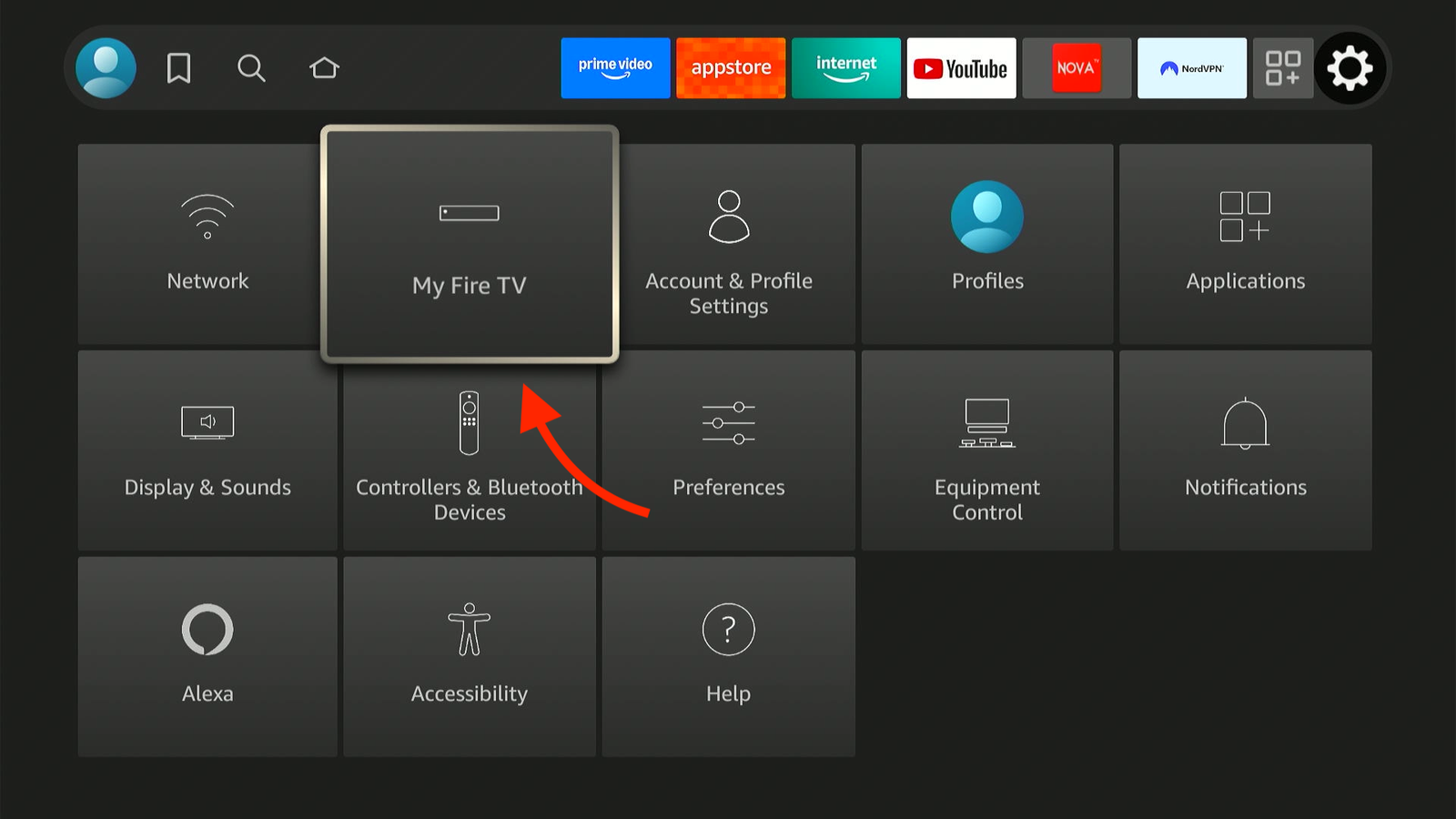
Go to Settings (gear icon) > My Fire TV.
-
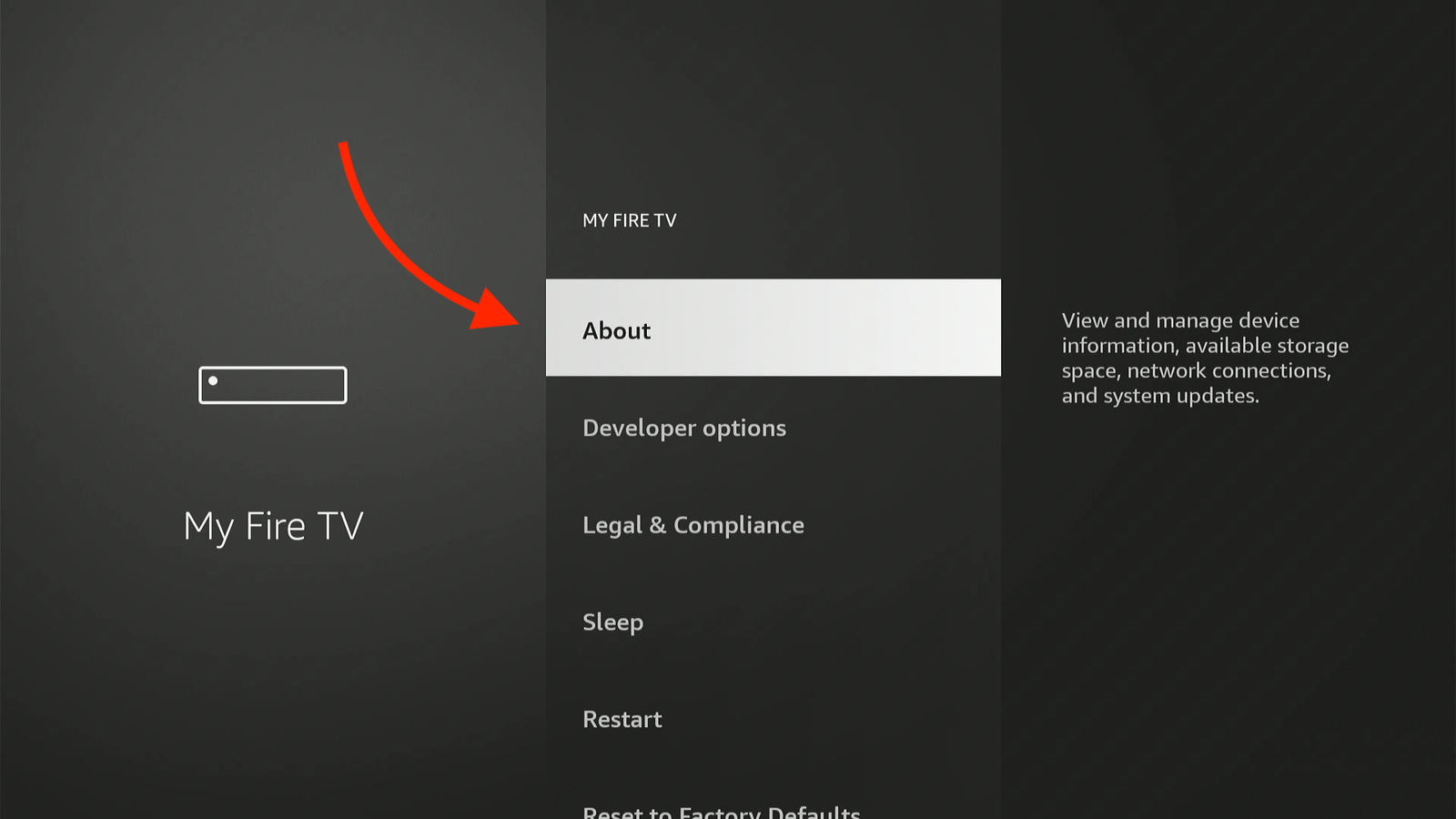
Important: If you don't see "Developer Options", click on About.
-
Highlight "Fire TV Stick" and click the Center/OK button 7 times quickly.
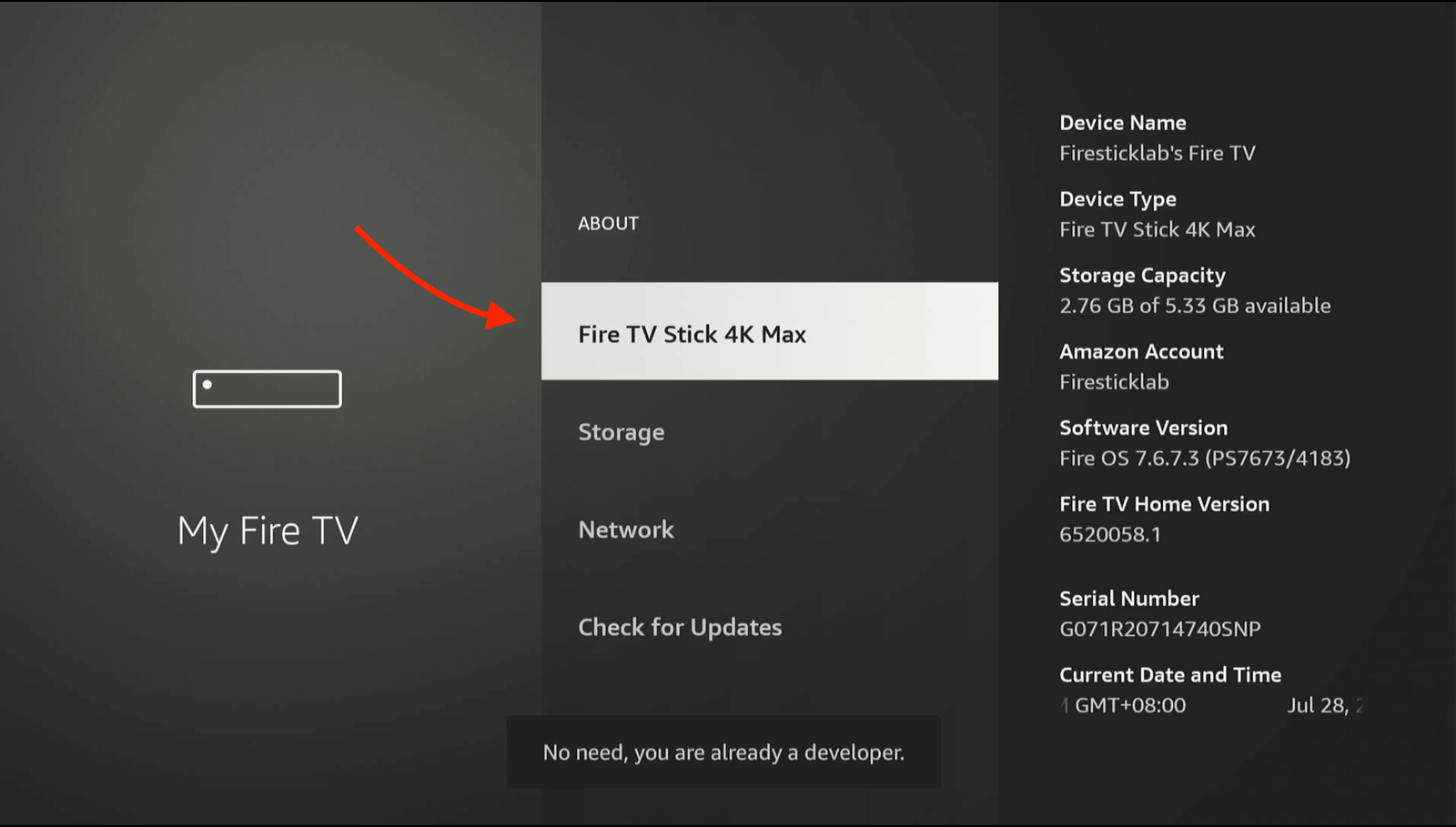
- You'll see a pop-up: "No need, you are already a developer."
-
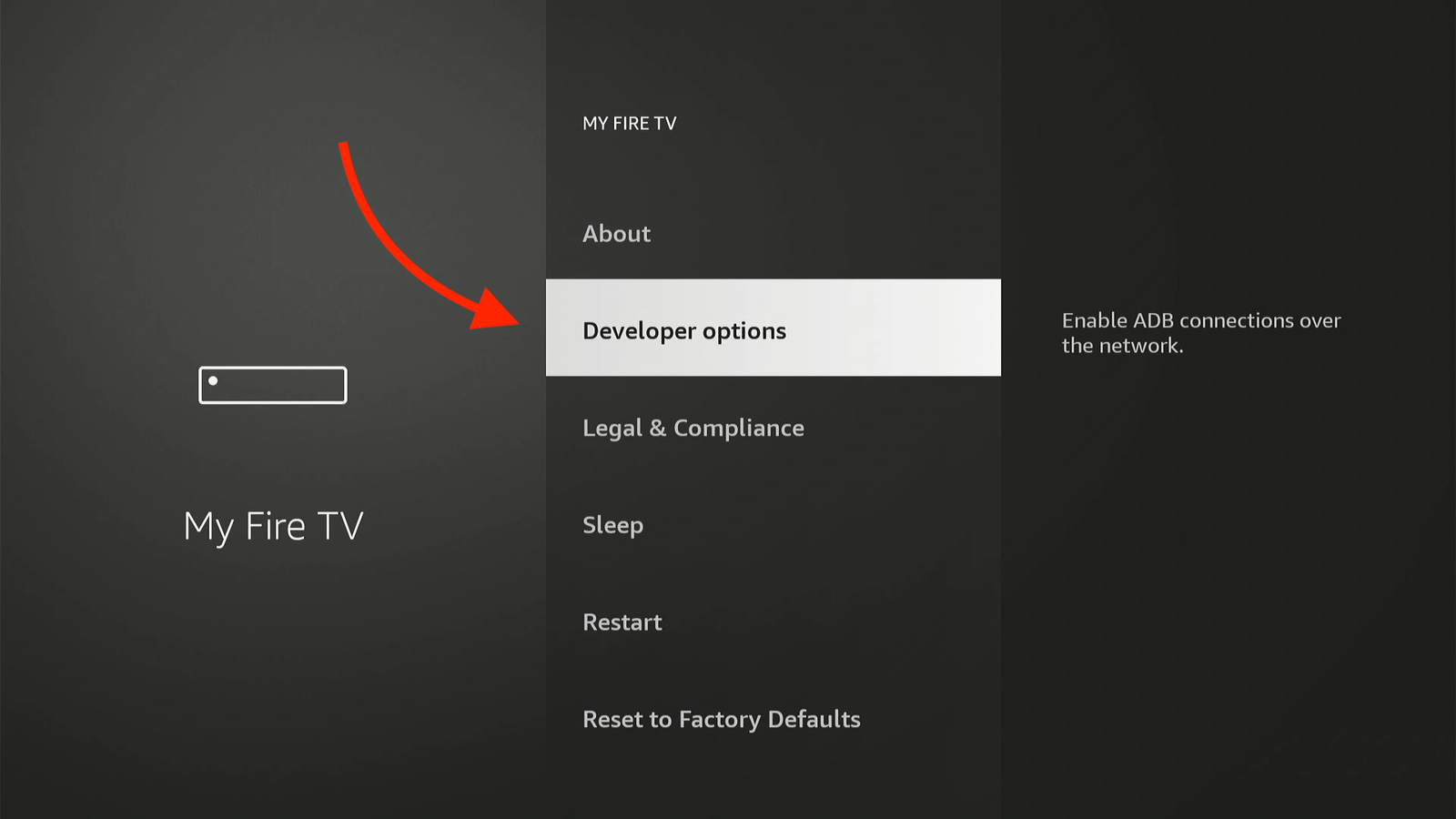
Press Back once. Select Developer Options.
-
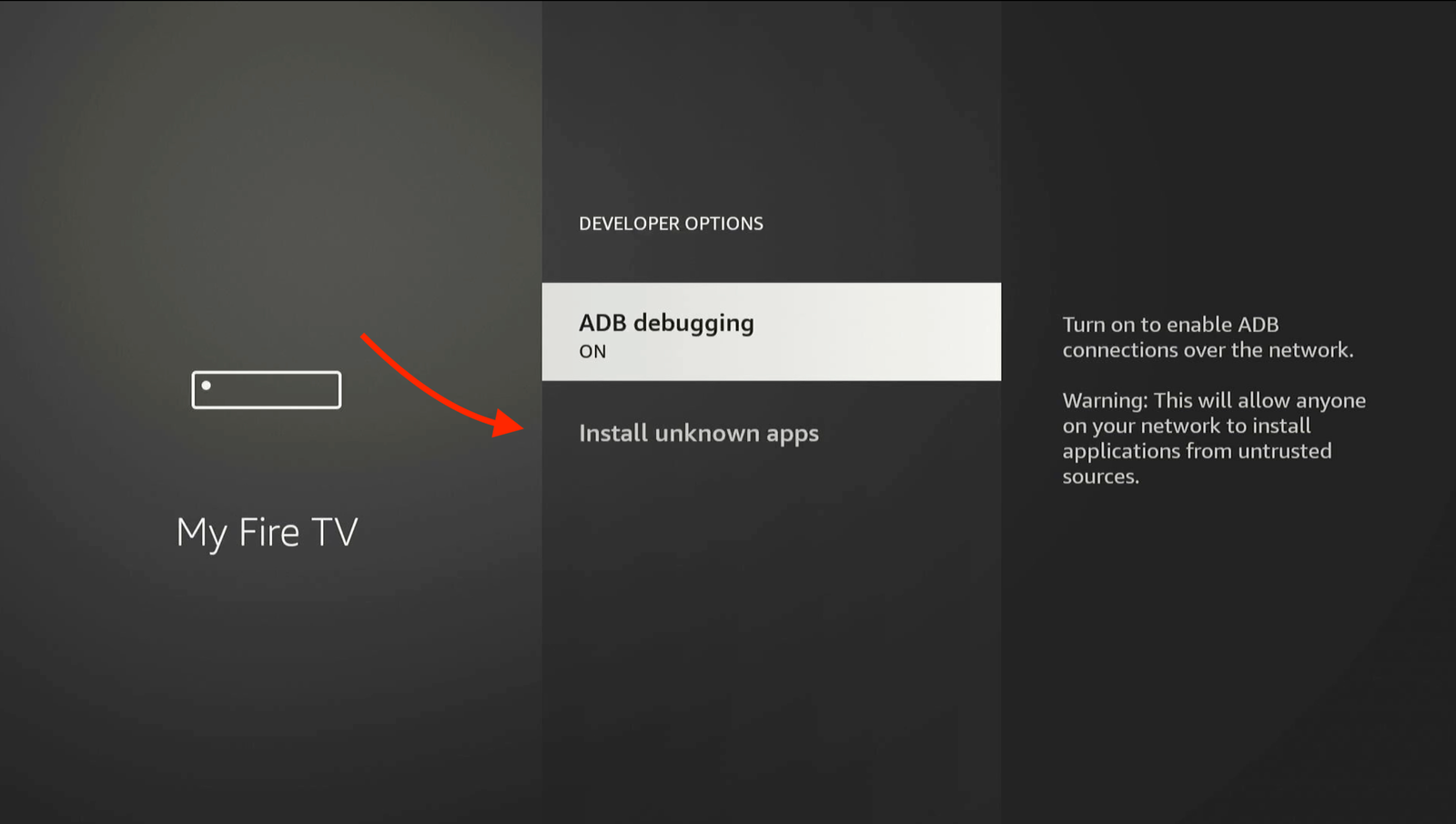
Click Install Unknown Apps for the Downloader app.
-
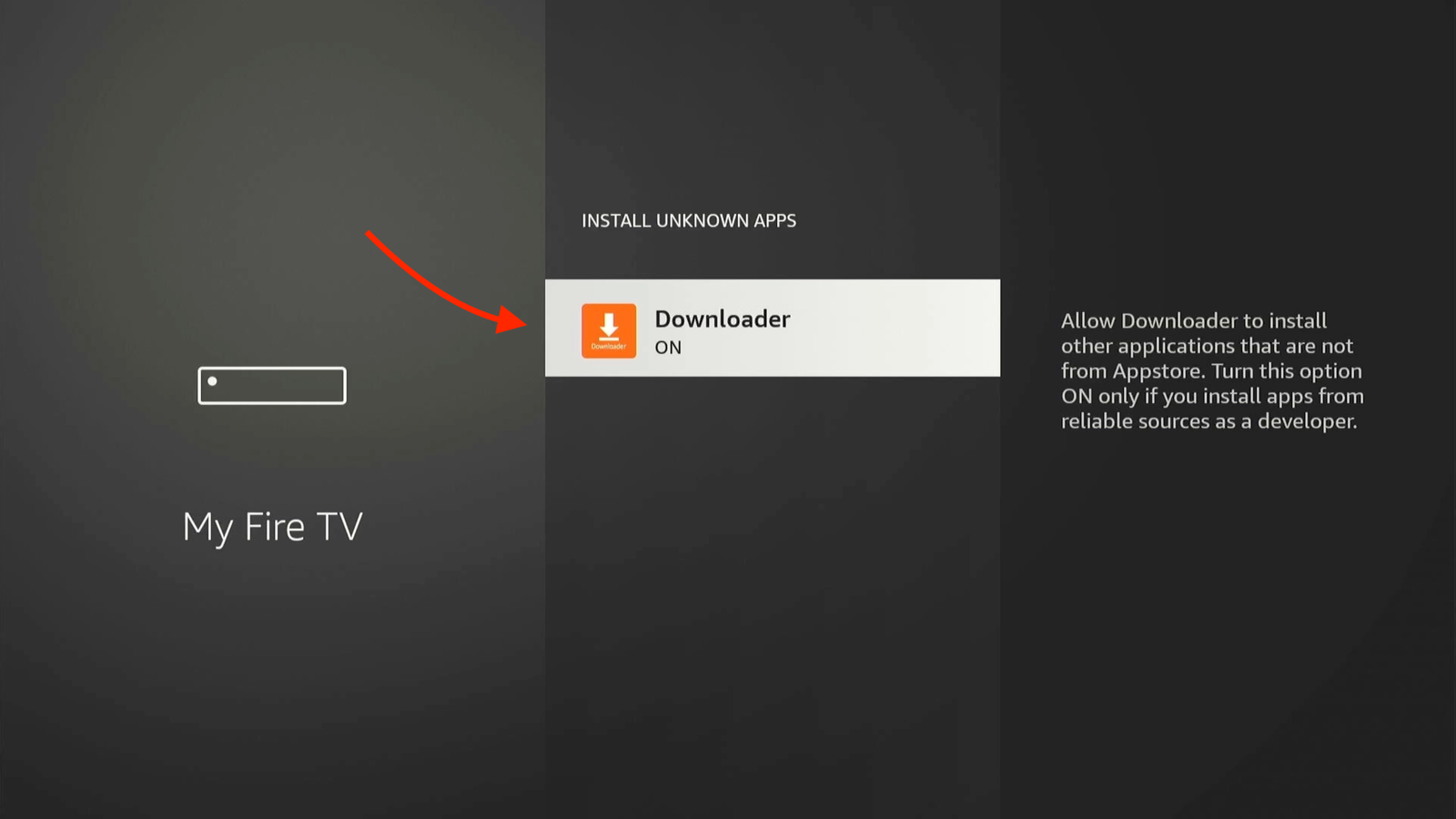
Turn ON Downloader app
3 Download UltraHD IPTV
Now we will pull the UltraHD application directly from our secure servers.
-
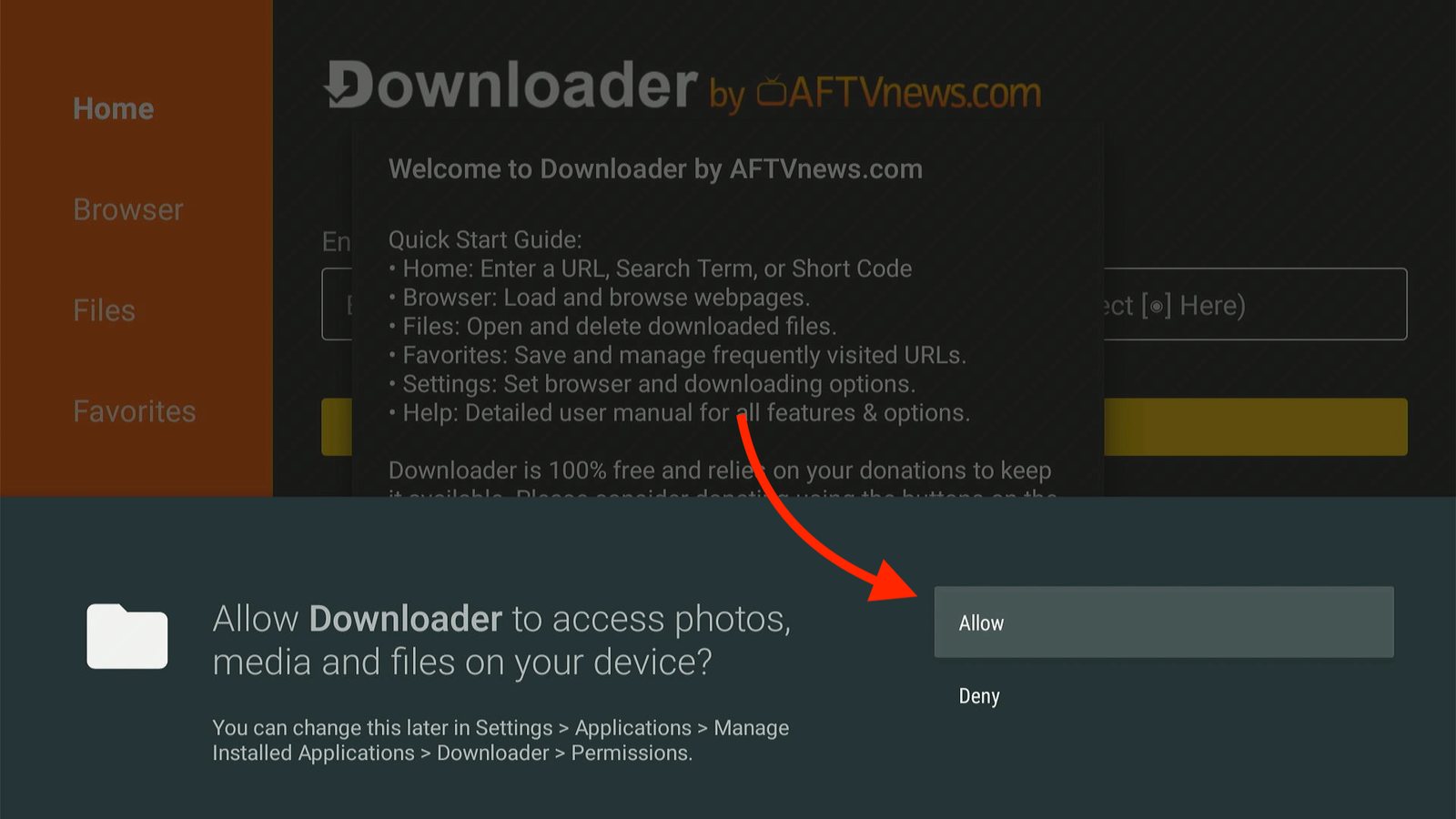
Open the Downloader app. Click Allow if asked.
-
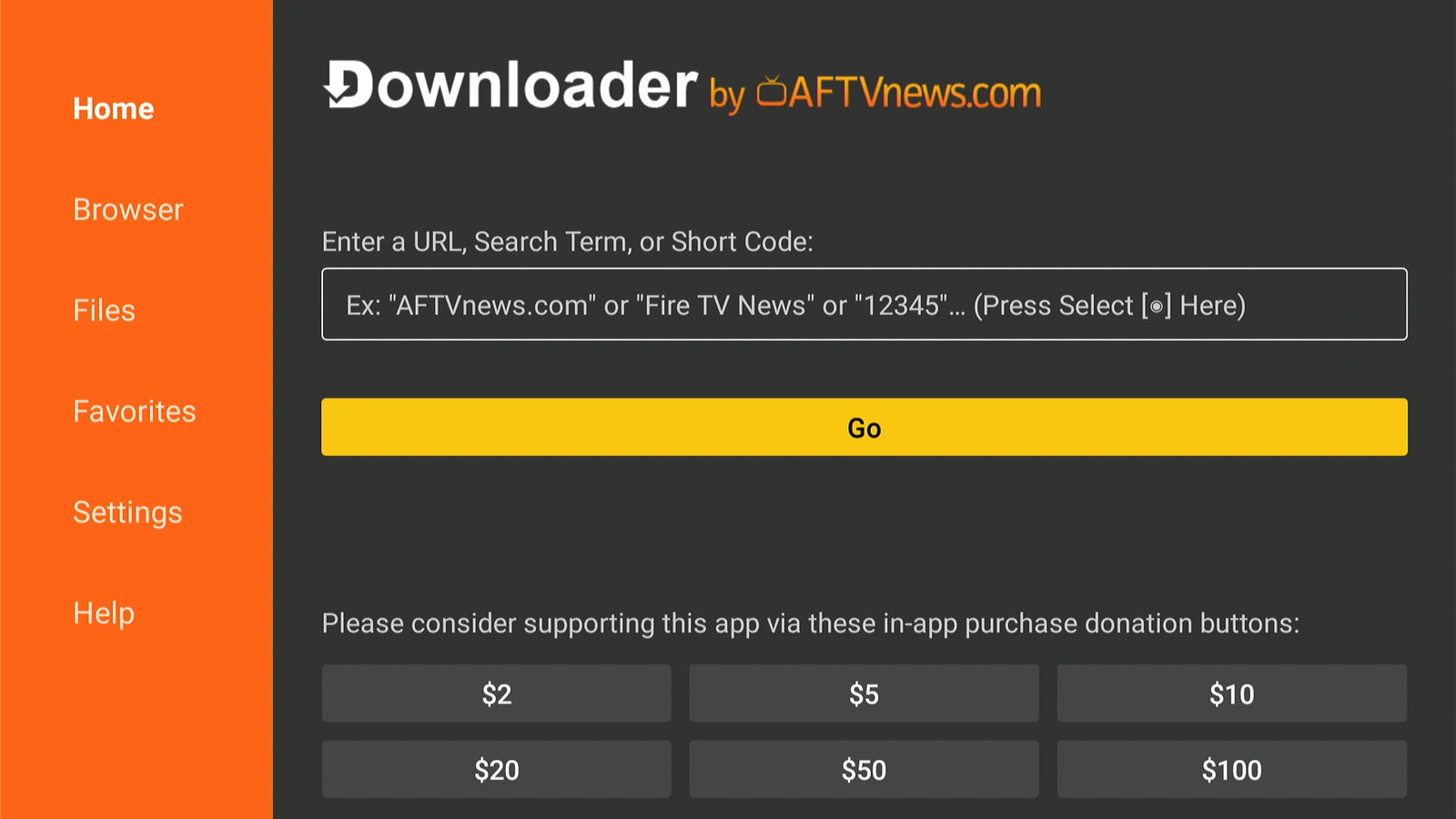
Click the URL bar where it says Ex: "AFTVnews.com" or "Fire TV News" or "12345"
"... (Press Select |•] Here).
-
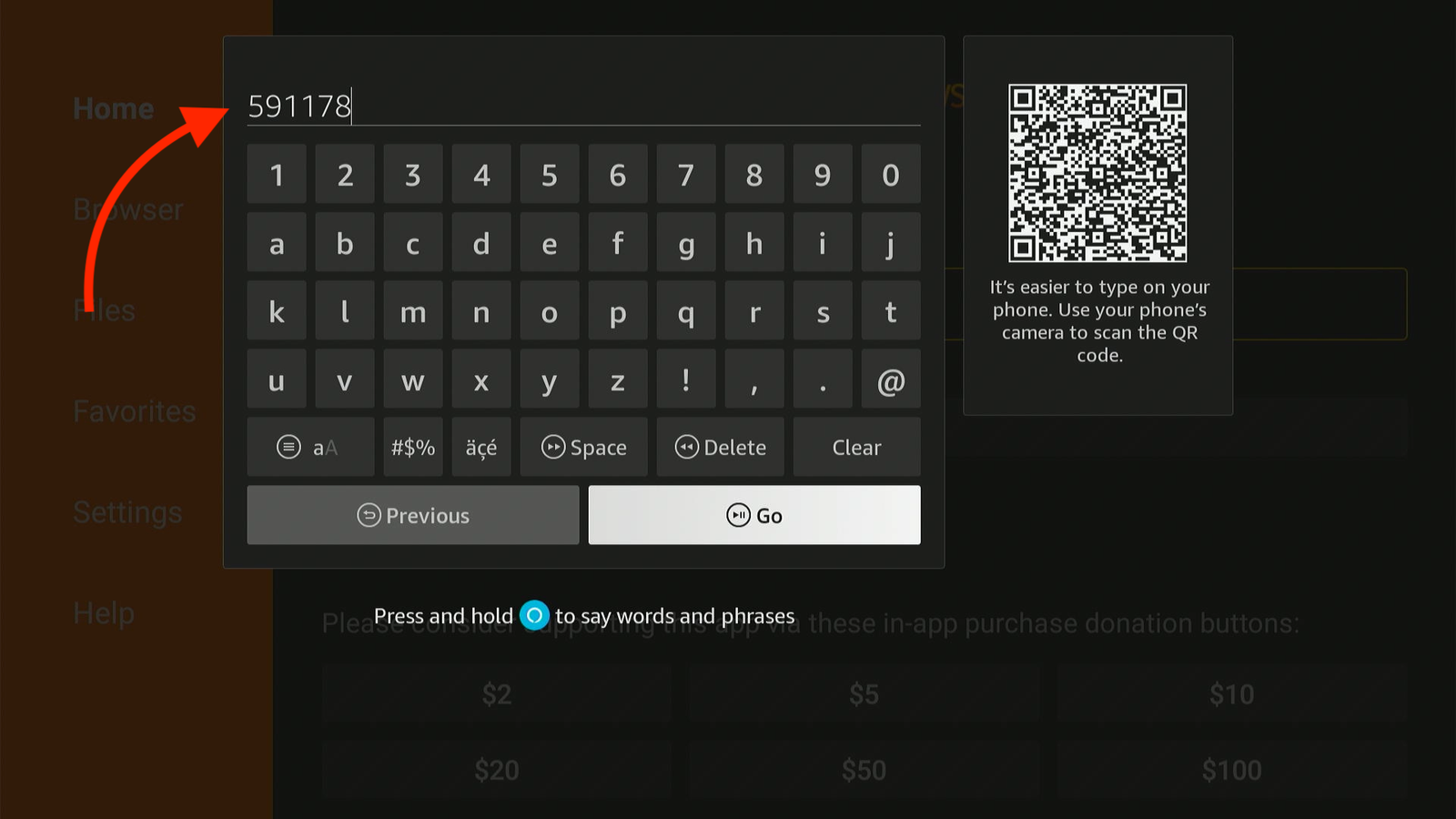
Enter this Code 591178 on the url bar and then click GO to Download IPTV Smarters pro on your Device
-
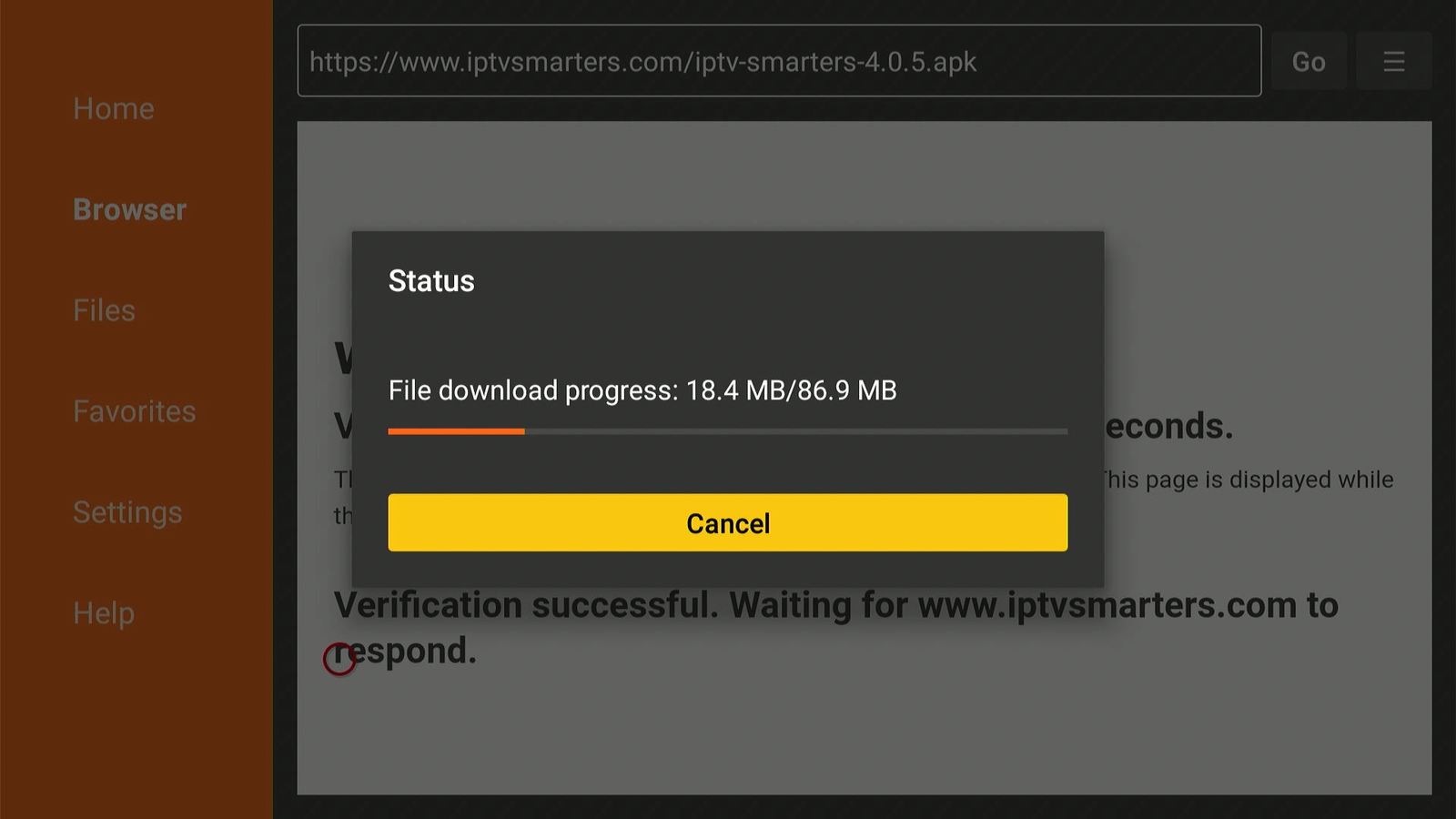
The APK file will start downloading automatically.
-
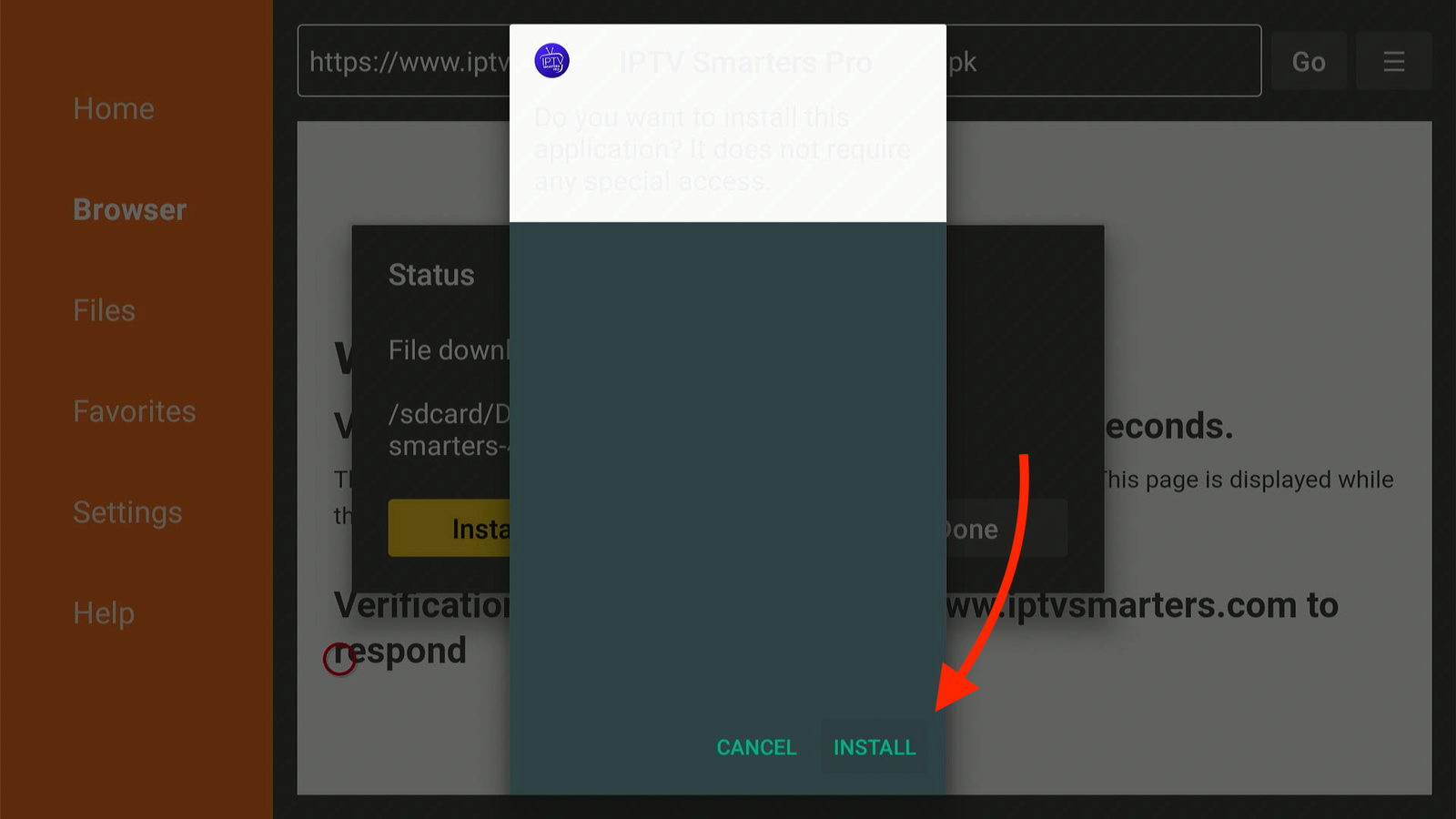
When finished, a pop-up will appear. Click Install.
4 Login & Activate
You're almost there! Let's connect you to the server.
-
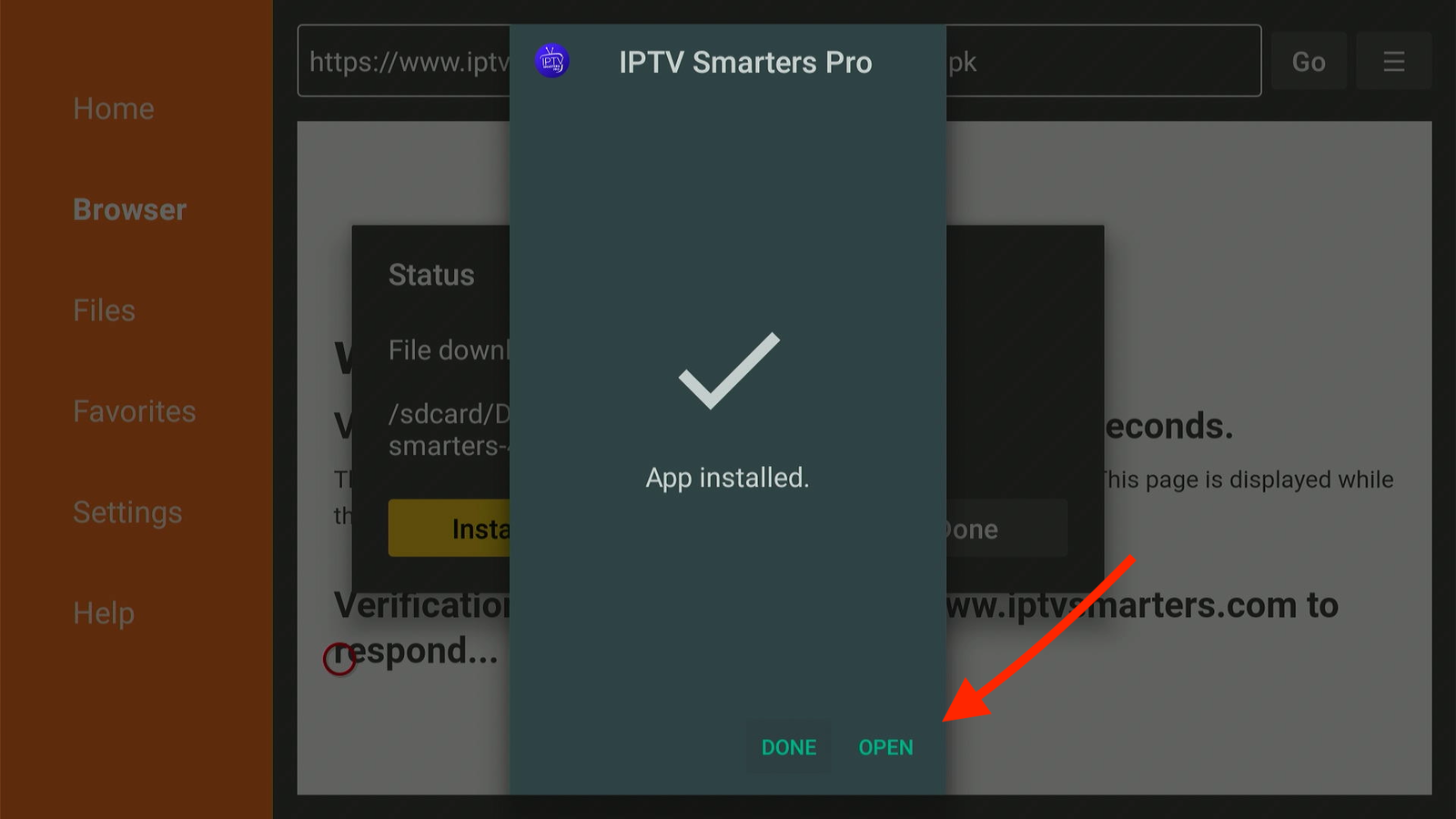
Open the installed IPTV Smaters pro app.
-
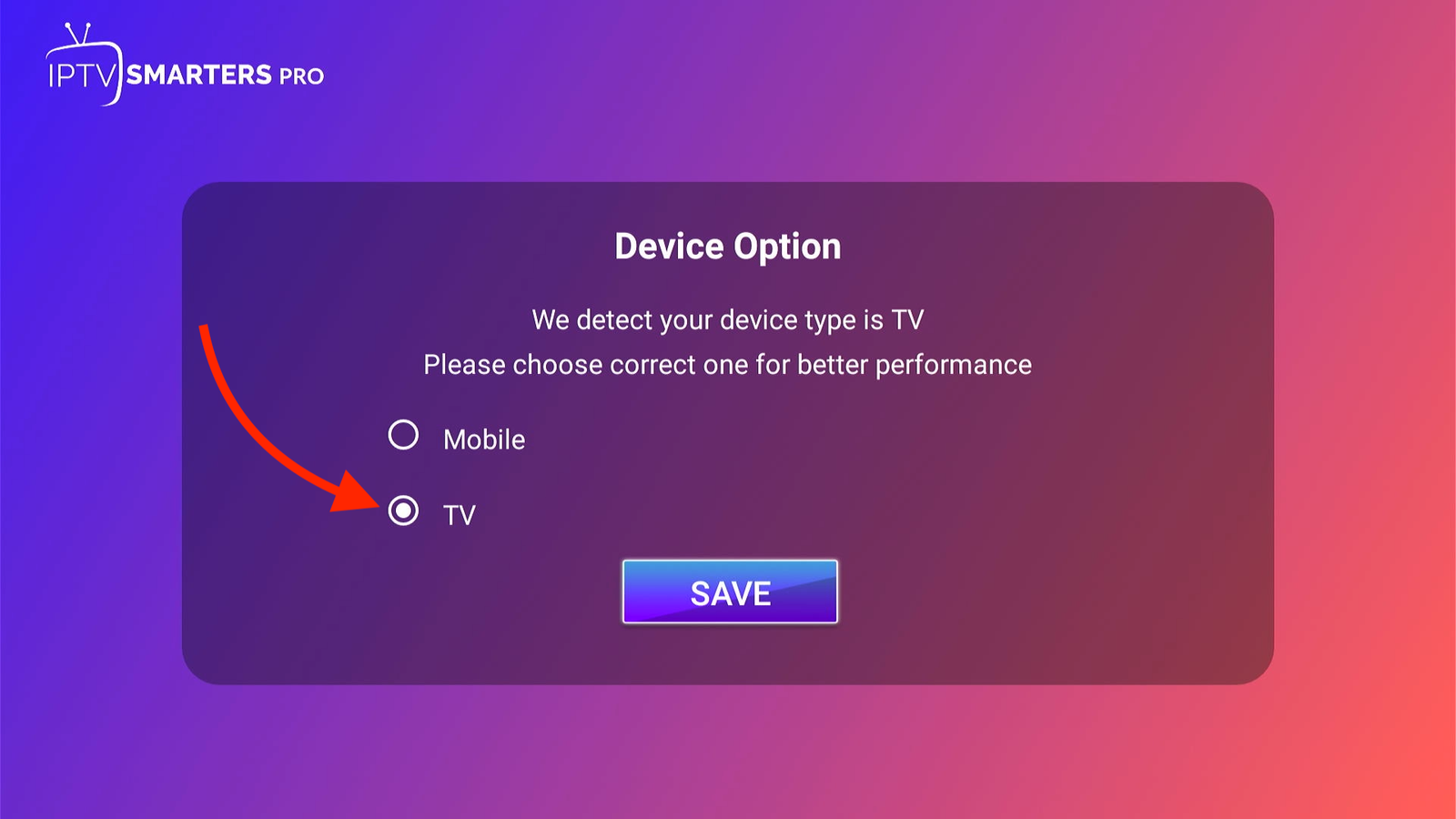
Select your device type (usually TV) and click Save.
-
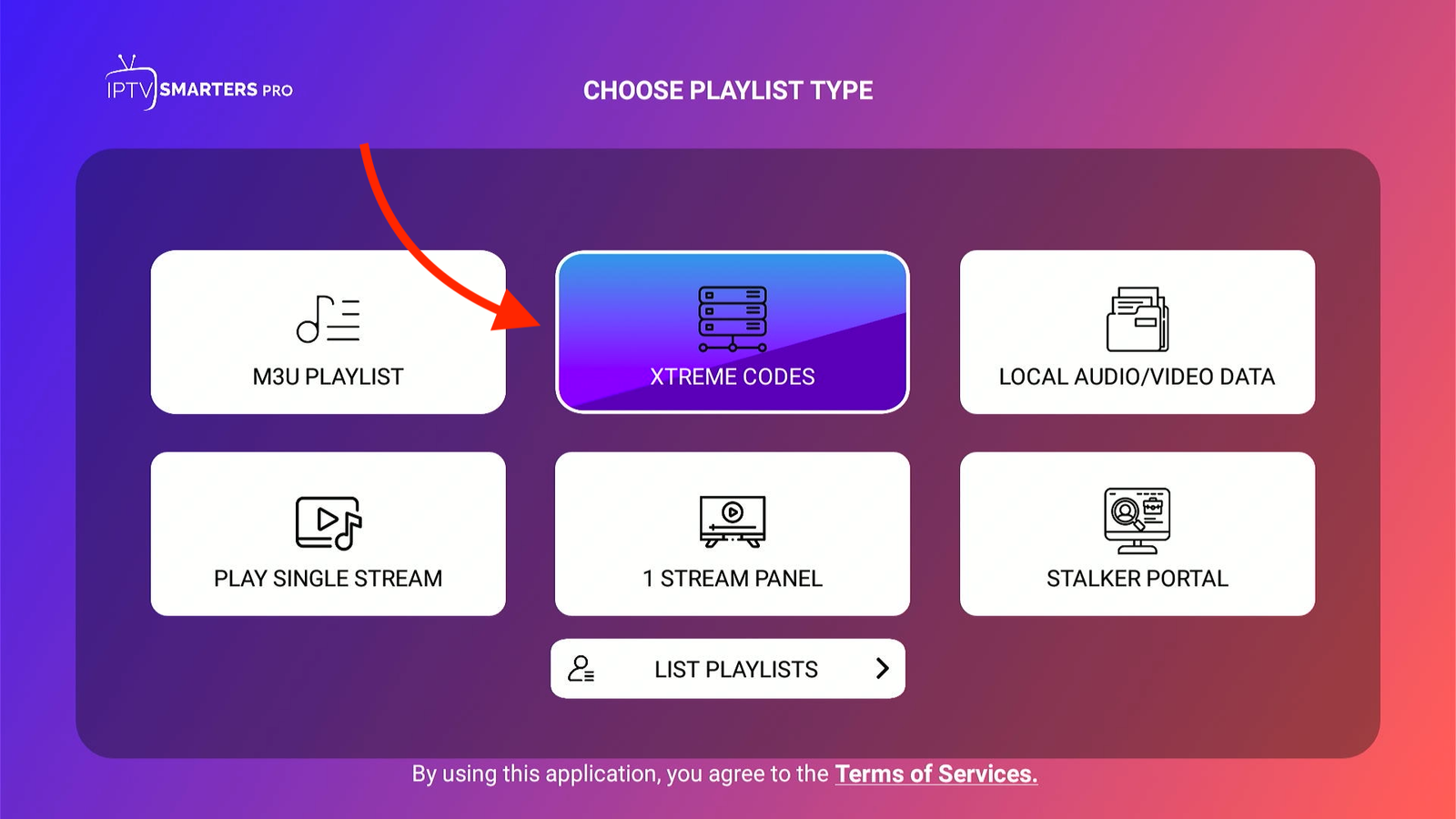
Select Login with Xtream Codes API (Fastest method).
-
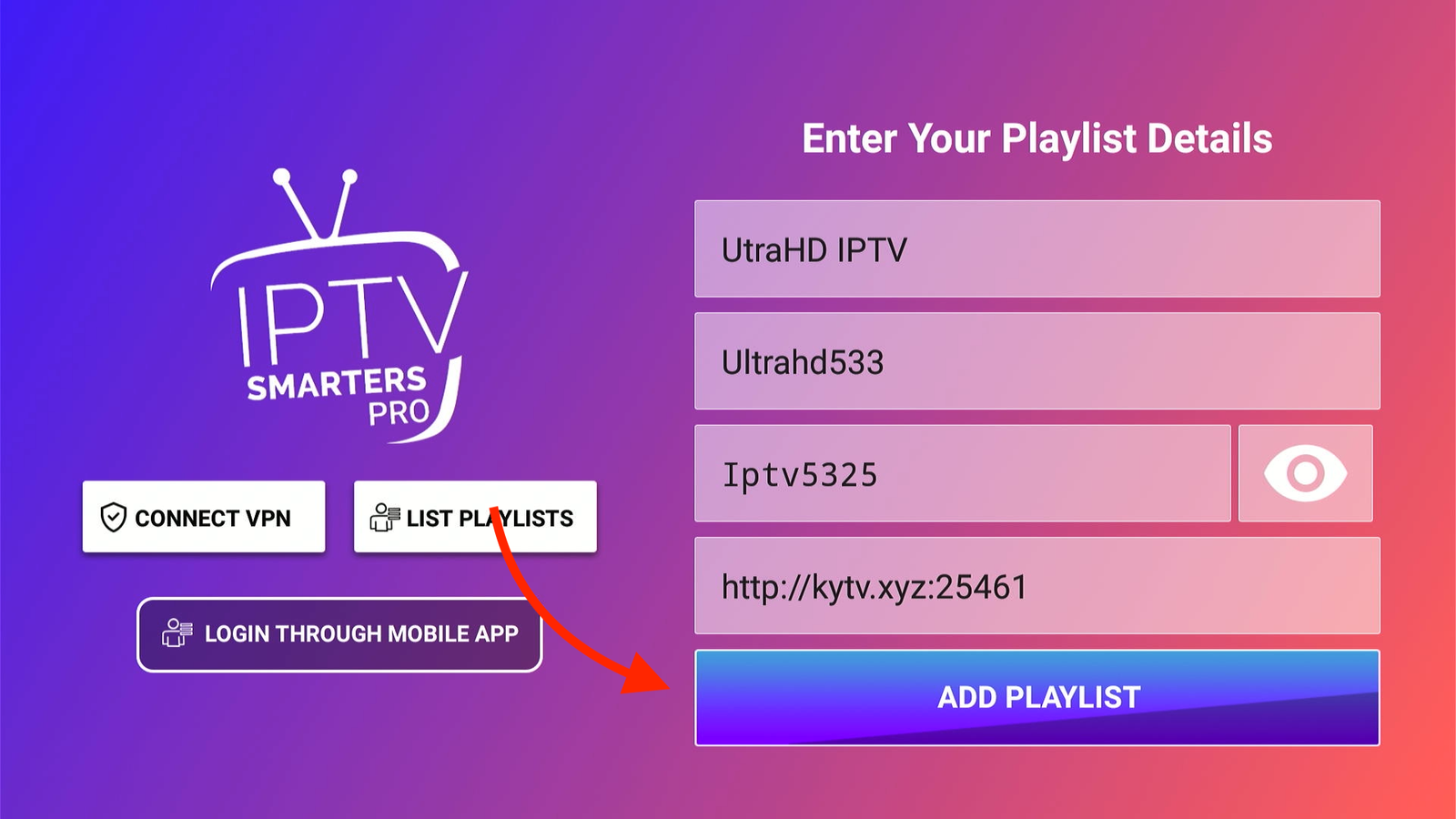
Enter the details that has been sent to you after purchasing the UltraHD IPTV subscription
- Any Name: UltraHD IPTV
- Username: (Check Email)
- Password: (Check Email)
- URL: (Check Email - usually http://...) Click Add User. The channels will now download!
-
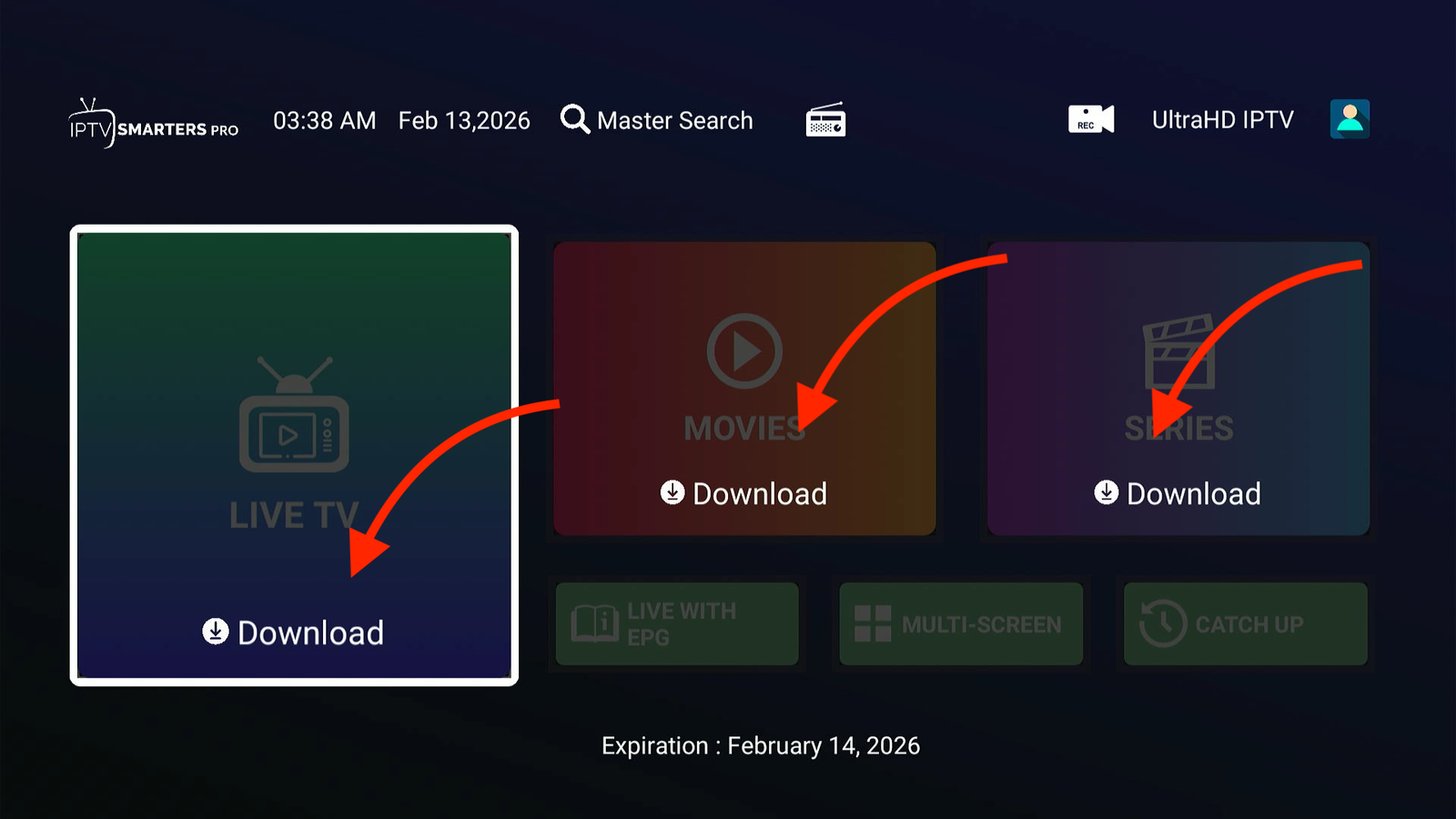
Now click on each Categories to donwload ( this need to be done during the initial setup)
-
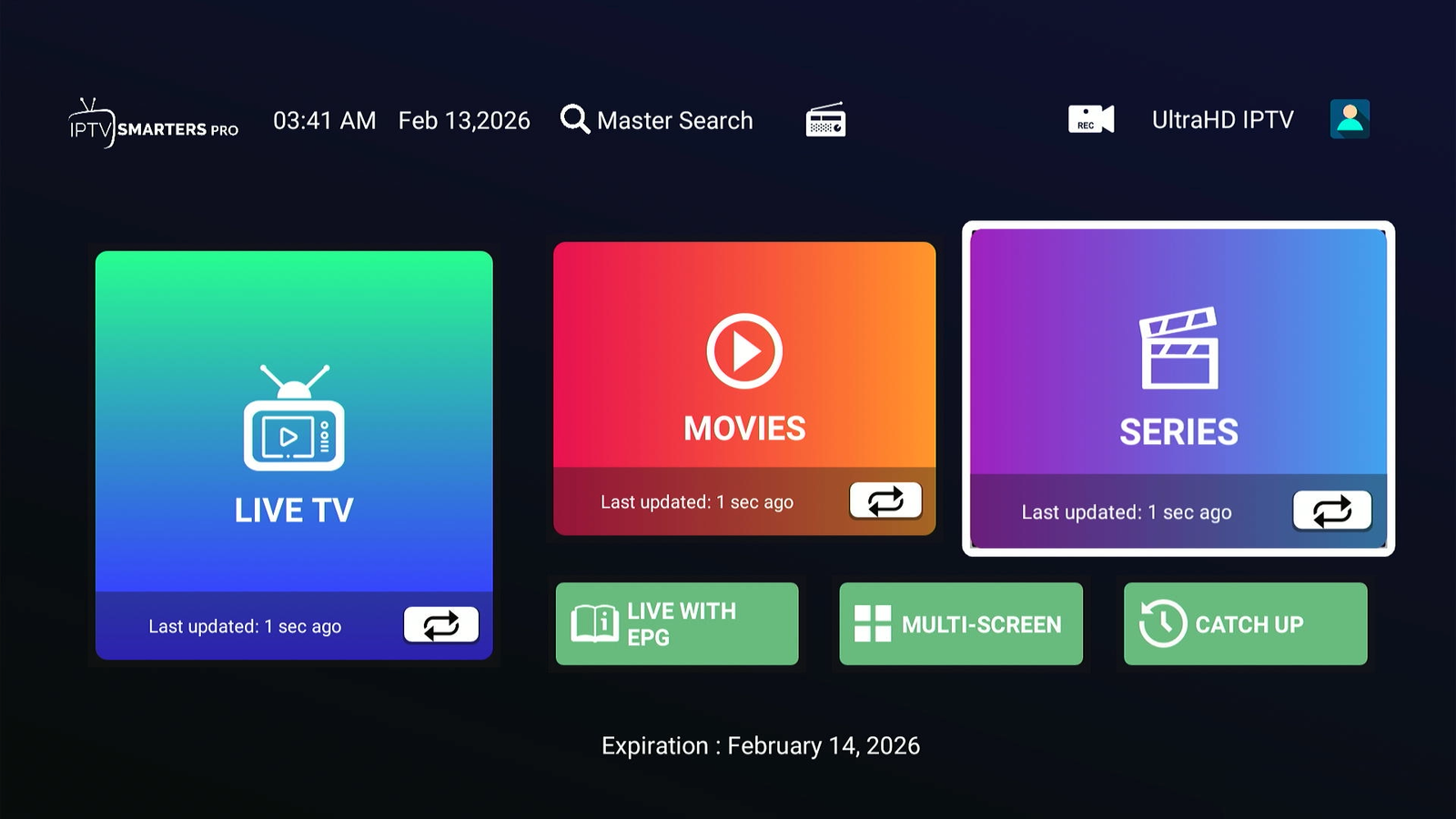
Once Downlaoded Go to the Live TV section and play your favorite Channels
Frequently Asked Questions
Is it safe to install UltraHD IPTV?
Yes, sideloading via Downloader is a standard Firestick feature. Our app is scanned daily for security and is completely safe for your device.
Why is Downloader not working?
If installation fails, check your storage space (delete unused apps) and double-check that you enabled "Install Unknown Apps" in Developer Options (Step 2).
Do I need a VPN?
UltraHD works without a VPN. However, if your ISP throttles streaming speeds during peak hours, a VPN can help stabilize your connection.
Don't Have an Account Yet?
Get instant access to premium 4K streams today. No buffering, just entertainment.